I am on the 4252a06 FW. However, what I am experiencing is HDD corruption while writing, specifically with longer files when copying from HDD to HDD. Reading from HDD and copying from RAM to HDD has been fine. Just wondering from which corner to start debugging the thing...
 Can all registered uses please login, even just for a few minutes..
It helps build a picture where our "good traffic" is coming from..
Thanks :)
It helps build a picture where our "good traffic" is coming from..
Thanks :)
TF4060 Beta Program
Moderators: terriblefire, Terriblefire Moderator
Re: TF4060 Beta Program
Hi. I am a new proud owner of TF4060 and have it stuffed into A3000D (with other stuff like CV64, X-Surf100, ZuluSCSI, SB11, WD8, kick3.2). Been waiting this setup for years I am on the 4252a06 FW. However, what I am experiencing is HDD corruption while writing, specifically with longer files when copying from HDD to HDD. Reading from HDD and copying from RAM to HDD has been fine. Just wondering from which corner to start debugging the thing...
I am on the 4252a06 FW. However, what I am experiencing is HDD corruption while writing, specifically with longer files when copying from HDD to HDD. Reading from HDD and copying from RAM to HDD has been fine. Just wondering from which corner to start debugging the thing...-
terriblefire
- Admin sponsor

- Posts: 5687
- Joined: Mon Aug 28, 2017 10:56 pm
- Location: Glasgow, UK
Re: TF4060 Beta Program
Can you clarify which drive you are having issues with? the onboard IDE or ZuluSCSI?mr_spiv wrote: Wed Mar 05, 2025 5:14 pm Hi. I am a new proud owner of TF4060 and have it stuffed into A3000D (with other stuff like CV64, X-Surf100, ZuluSCSI, SB11, WD8, kick3.2). Been waiting this setup for years
———
"It is not necessarily a supply voltage at no load, but the amount of current it can provide when touched that
indicates how much hurting you shall receive."
"It is not necessarily a supply voltage at no load, but the amount of current it can provide when touched that
indicates how much hurting you shall receive."
Re: TF4060 Beta Program
Internal SCSI + 32G SD. I have nothing attached to onboard IDE at the moment.terriblefire wrote: Wed Mar 05, 2025 5:24 pm Can you clarify which drive you are having issues with? the onboard IDE or ZuluSCSI?
Re: TF4060 Beta Program
I have done a bit more around this. I update the tf4060 FW to the latest (1c48879), updated the ZuluSCSI to the latest and switched to a different 4GB SD card & vendor. The outcome is that the setup is now unstable :O Cannot say if the SCSI issues are now due to SCSI or system just crashing. I suspect the latter.. and I am leaning towards a heat issue. I'll do some more testing.mr_spiv wrote: Wed Mar 05, 2025 6:31 pmInternal SCSI + 32G SD. I have nothing attached to onboard IDE at the moment.terriblefire wrote: Wed Mar 05, 2025 5:24 pm Can you clarify which drive you are having issues with? the onboard IDE or ZuluSCSI?
-
Oliver_A
Re: TF4060 Beta Program
Stephen,
any news or updates? Do you still plan to improve the Chip-Ram access speed, as it is currently, from my perspective, the only remaining issue with the card?
Thanks and BR,
Oliver
any news or updates? Do you still plan to improve the Chip-Ram access speed, as it is currently, from my perspective, the only remaining issue with the card?
Thanks and BR,
Oliver
-
terriblefire
- Admin sponsor
- Posts: 5687
- Joined: Mon Aug 28, 2017 10:56 pm
- Location: Glasgow, UK
Re: TF4060 Beta Program
When i have an update this is the first place i'll post. I've been forced back to the office 5 days a week now so progress is slow.Oliver_A wrote: Tue Mar 25, 2025 11:32 am Stephen,
any news or updates? Do you still plan to improve the Chip-Ram access speed, as it is currently, from my perspective, the only remaining issue with the card?
Thanks and BR,
Oliver
———
"It is not necessarily a supply voltage at no load, but the amount of current it can provide when touched that
indicates how much hurting you shall receive."
"It is not necessarily a supply voltage at no load, but the amount of current it can provide when touched that
indicates how much hurting you shall receive."
-
ShootTheCore

- Posts: 6
- Joined: Fri Apr 04, 2025 6:36 pm
Re: TF4060 Beta Program
Hello, I'm new to the Exxos forums and am freshly returning to the Amiga scene after a long absence. I'm running a freshly purchased ReAmiga 4000 CR and TF4060 accelerator, both purchased from Chucky. I'm also running the TF360 disk image for the OS as is recommended on the TF4060 install page.
I wanted to report a glitch I'm seeing with Alien Breed SE where the background tiles become corrupted after walking around the level for a few minutes. The glitches don't occur if I remove the TF accelerator and run on the onboard 68030 CPU. The WHDLoad package says it supports an 060 CPU with caches enabled.
https://www.whdload.de/games/AlienBreedSE92.html
Let me know if there's anything you'd like me to try with configuration changes, etc.
I wanted to report a glitch I'm seeing with Alien Breed SE where the background tiles become corrupted after walking around the level for a few minutes. The glitches don't occur if I remove the TF accelerator and run on the onboard 68030 CPU. The WHDLoad package says it supports an 060 CPU with caches enabled.
https://www.whdload.de/games/AlienBreedSE92.html
Let me know if there's anything you'd like me to try with configuration changes, etc.
- 428521366-b2b9bf8a-72f9-4f2c-bf6d-a32c09646f3a.jpg (232.12 KiB) Viewed 1193 times
- 428521367-3563e325-58d0-4dc1-bb0b-412a2b110141.jpg (320.07 KiB) Viewed 1193 times
-
terriblefire
- Admin sponsor
- Posts: 5687
- Joined: Mon Aug 28, 2017 10:56 pm
- Location: Glasgow, UK
Re: TF4060 Beta Program
ShootTheCore wrote: Fri Apr 04, 2025 6:56 pm Hello, I'm new to the Exxos forums and am freshly returning to the Amiga scene after a long absence. I'm running a freshly purchased ReAmiga 4000 CR and TF4060 accelerator, both purchased from Chucky. I'm also running the TF360 disk image for the OS as is recommended on the TF4060 install page.
I wanted to report a glitch I'm seeing with Alien Breed SE where the background tiles become corrupted after walking around the level for a few minutes. The glitches don't occur if I remove the TF accelerator and run on the onboard 68030 CPU. The WHDLoad package says it supports an 060 CPU with caches enabled.
https://www.whdload.de/games/AlienBreedSE92.html
Let me know if there's anything you'd like me to try with configuration changes, etc.
428521366-b2b9bf8a-72f9-4f2c-bf6d-a32c09646f3a.jpg428521367-3563e325-58d0-4dc1-bb0b-412a2b110141.jpg
Have you tested your software setup in winuae with an 060?
———
"It is not necessarily a supply voltage at no load, but the amount of current it can provide when touched that
indicates how much hurting you shall receive."
"It is not necessarily a supply voltage at no load, but the amount of current it can provide when touched that
indicates how much hurting you shall receive."
-
ShootTheCore
- Posts: 6
- Joined: Fri Apr 04, 2025 6:36 pm
Re: TF4060 Beta Program
Not yet, but I will try it and will report back.
-
ShootTheCore
- Posts: 6
- Joined: Fri Apr 04, 2025 6:36 pm
Re: TF4060 Beta Program
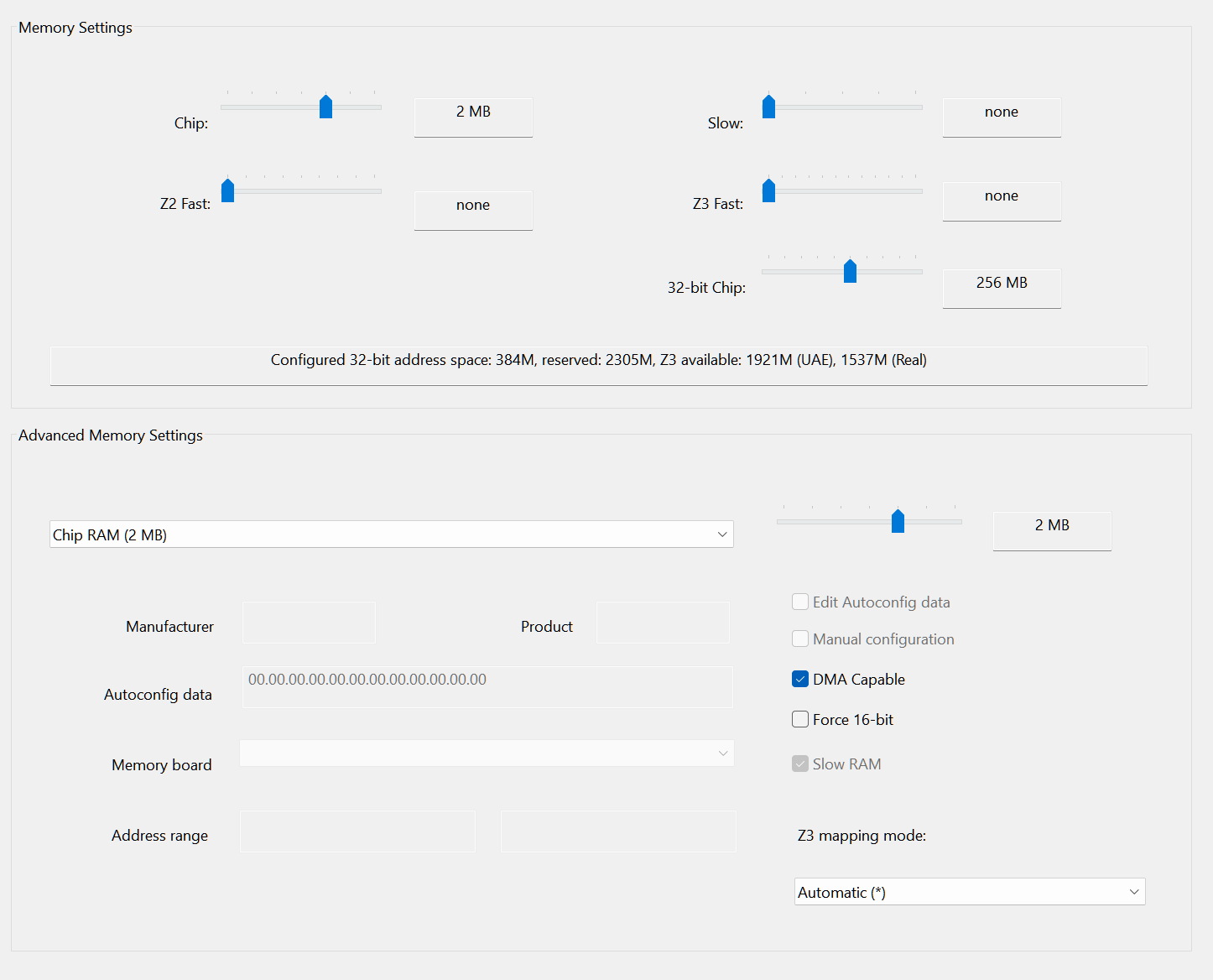
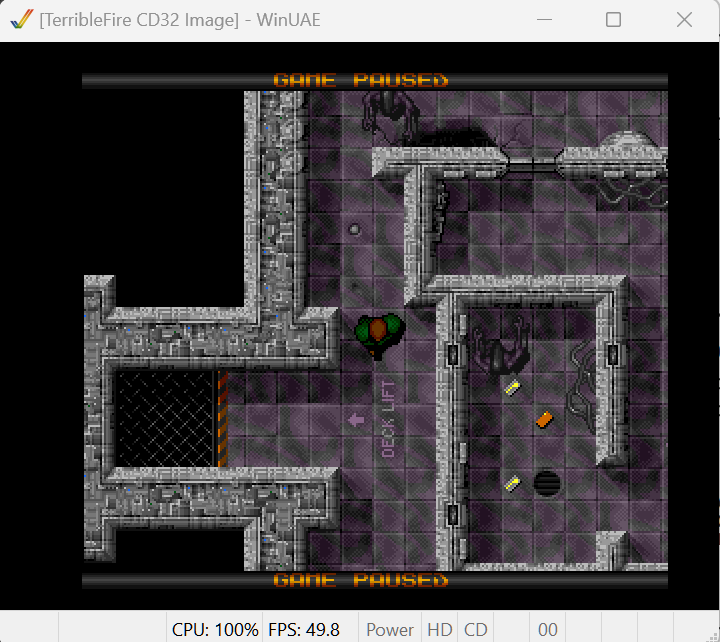
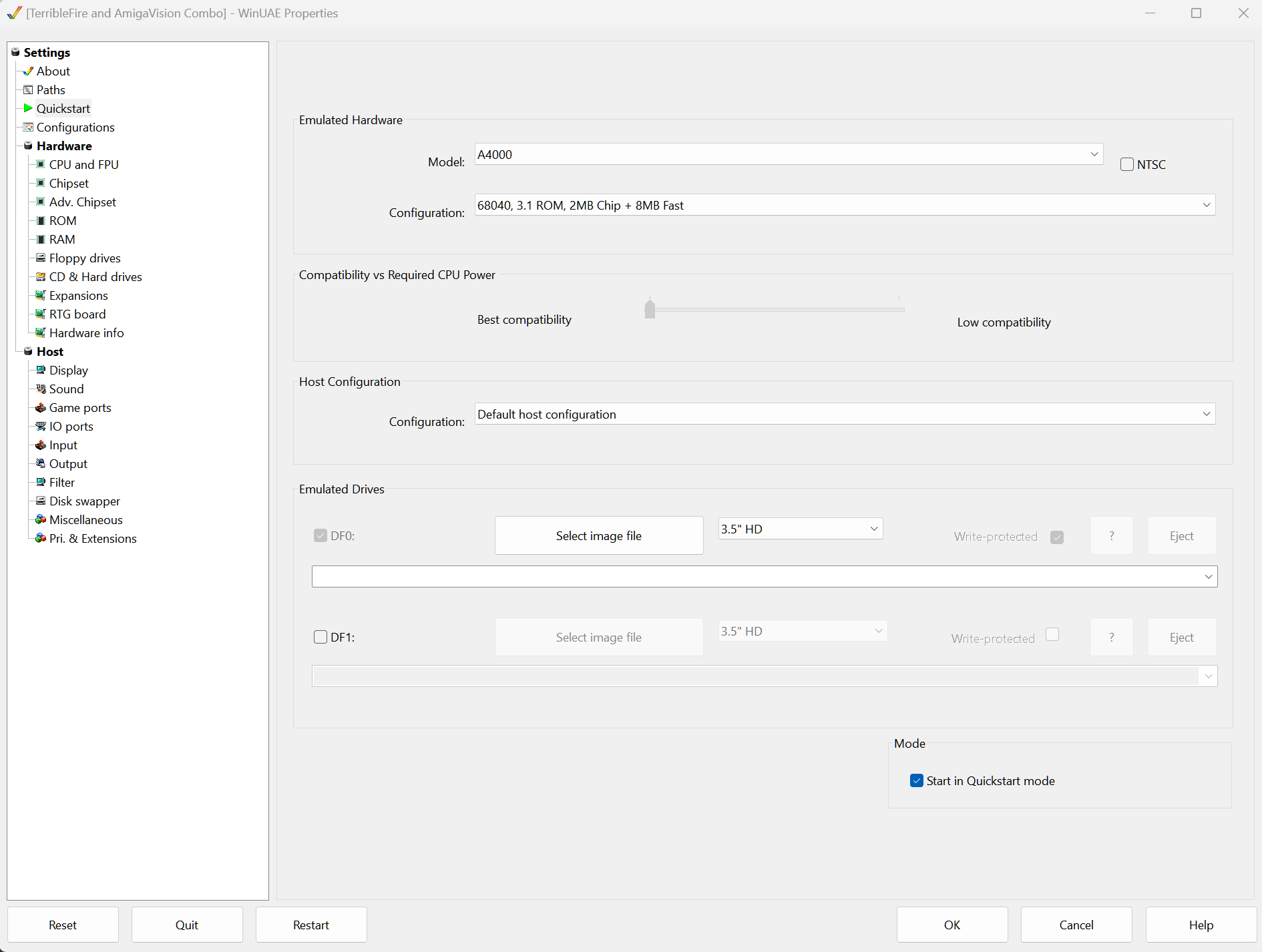
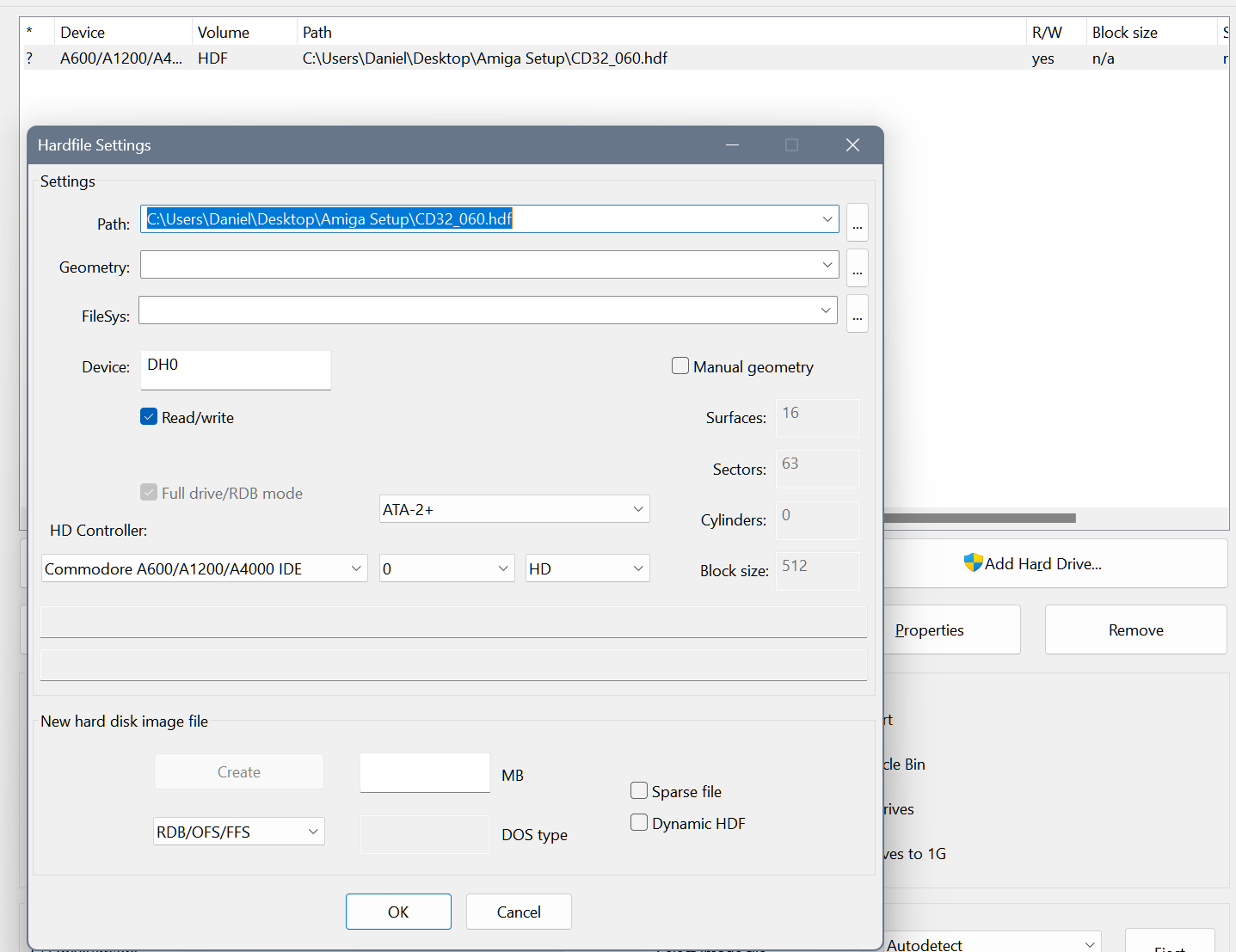
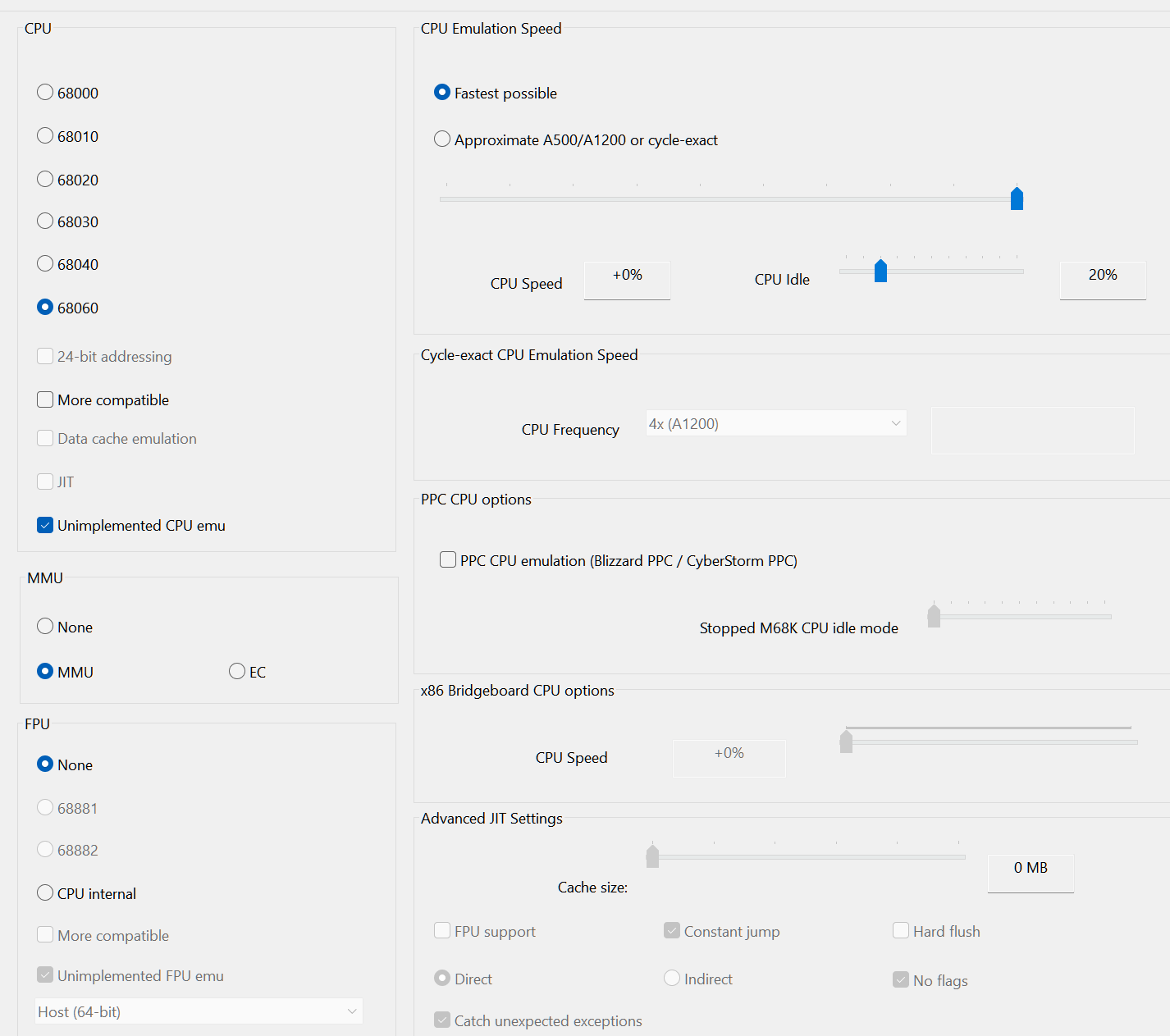
No graphics glitching with Alien Breed SE with WinUAE set for an Amiga 4000 with 68060 CPU, MMU, No FPU (which matches the LC CPU in my TF), 256 megs of 32-bit chip RAM, Kickstart 3.1 ROM running the TF CD32_060 hard drive image.
If I overlooked any WinUAE settings that need to be changed to match the TF4060, let me know and I'll retest.
https://shootthecore.tech/wp-content/up ... 104626.png
https://shootthecore.tech/wp-content/up ... 101817.png
https://shootthecore.tech/wp-content/up ... 101536.png
https://shootthecore.tech/wp-content/up ... 092714.png
https://shootthecore.tech/wp-content/up ... 092522.png
If I overlooked any WinUAE settings that need to be changed to match the TF4060, let me know and I'll retest.
https://shootthecore.tech/wp-content/up ... 104626.png
https://shootthecore.tech/wp-content/up ... 101817.png
https://shootthecore.tech/wp-content/up ... 101536.png
https://shootthecore.tech/wp-content/up ... 092714.png
https://shootthecore.tech/wp-content/up ... 092522.png