Page 5 of 10
Re: White screen with STacy
Posted: 12 Oct 2022 15:13
by stephen_usher
I know this is naughty but...
If you have a spare 68000, what happens if you piggy-back it on top of the current CPU? ;-) (I wouldn't do this for long as it could potentially harm the other chip if done so for more than a few seconds. May be a useful test just to see what signals it may produce.
That MegaSTE /HALT line is just noise which happened to get above your trigger level. I'd raise the trigger up a bit and try again.
Re: White screen with STacy
Posted: 12 Oct 2022 17:09
by Roberto
stephen_usher wrote: 12 Oct 2022 15:13
I know this is naughty but...
If you have a spare 68000, what happens if you piggy-back it on top of the current CPU? ;-) …
as for the MC68000 I have to wait until next weekend, I don't have it yet. I increased the signal "exposure" time by putting 100ms (I hope I did it right), and these are the results. I'm sorry but I'm not yet familiar with the use of the oscilloscope.

- 359E7A9E-F467-4DA1-BF90-6CD6B4032C56.jpeg (527.29 KiB) Viewed 1734 times

- 2CC12148-50A2-4E3E-AE6F-4141D31F9179.jpeg (525.84 KiB) Viewed 1734 times
Re: White screen with STacy
Posted: 12 Oct 2022 17:53
by stephen_usher
It may be useful to see what the long-term behaviour of the /HALT line is.
If you set the time base of the oscilloscope to something like 400ms per division and then sample this should capture a few seconds of the behaviour, as it may go low later..
If it doesn't and there's no activity otherwise that does rather point to a bad CPU. If it's not halted the CPU should be doing something.
Re: White screen with STacy
Posted: 13 Oct 2022 13:16
by Roberto
stephen_usher wrote: 12 Oct 2022 17:53
It may be useful to see what the long-term behaviour of the /HALT line is.
…
I increased the time to 500ms and these are the results for / HALT for the two machines. increasing the time again (I tried with 1 sec.), the oscilloscope is unable to record any signal. naturally all the registers (in the STacy) remain stable and fixed between about 2 and 5v

- F38F9D52-9B9C-48B3-AD90-2D4077E3BD39.jpeg (550.49 KiB) Viewed 1713 times

- 7C9FF42E-4D23-4CB9-A23F-2F7211CDE112.jpeg (533.21 KiB) Viewed 1713 times
Re: White screen with STacy
Posted: 13 Oct 2022 13:37
by rubber_jonnie
Since /HALT is looking normal, so 5v when running, therefore not active, it is looking more like the CPU if the MMU and GLUE are working in another machine.
Re: White screen with STacy
Posted: 13 Oct 2022 18:58
by PhilC
Ok try this, if possible remove the DMA then switch the computer on. If /Halt then stays high I think your CPU should at least be trying to run.
You should then be able to look for activity on the mad lines from the mmu and IIRC you should see activity on some of the address and data lines, albeit for a short period of time.
Re: White screen with STacy
Posted: 14 Oct 2022 15:32
by Roberto
rubber_jonnie wrote: 13 Oct 2022 13:37
Since /HALT is looking normal, so 5v when running, therefore not active, it is looking more like the CPU if the MMU and GLUE are working in another machine.
do you mean it could be CPU damaged? (my English is bad)
Re: White screen with STacy
Posted: 14 Oct 2022 15:53
by rubber_jonnie
Roberto wrote: 14 Oct 2022 15:32
rubber_jonnie wrote: 13 Oct 2022 13:37
Since /HALT is looking normal, so 5v when running, therefore not active, it is looking more like the CPU if the MMU and GLUE are working in another machine.
do you mean it could be CPU damaged? (my English is bad)
/HALT is an awkward one. It is bi-directional so can receive a /HALT signal from somewhere else, or the CPU can assert /HALT itself in certain scenarios.
If /HALT is high (5v), it means it is not active. If reset is not active either, and the clocks are good, the CPU should in theory be able to execute code, but if there is no address or databus activity, it may be that the CPU has died.
As has been suggested, it would be useful to piggyback a new CPU on the old one and check the address and databus lines for activity, prior to diving in and removing the CPU though, and at least with the socket you could try address zero.
Also, you should try and see if the address and data lines do anything at power on or reset, not just with the machine dead but powered on, that way you can see if there is any bus activity before it goes dead.
Re: White screen with STacy
Posted: 14 Oct 2022 16:22
by Roberto
PhilC wrote: 13 Oct 2022 18:58
Ok try this, if possible remove the DMA then switch the computer on. If /Halt then stays high I think your CPU should at least be trying to run.
You should then be able to look for activity on the mad lines from the mmu and IIRC you should see activity on some of the address and data lines, albeit for a short period of time.
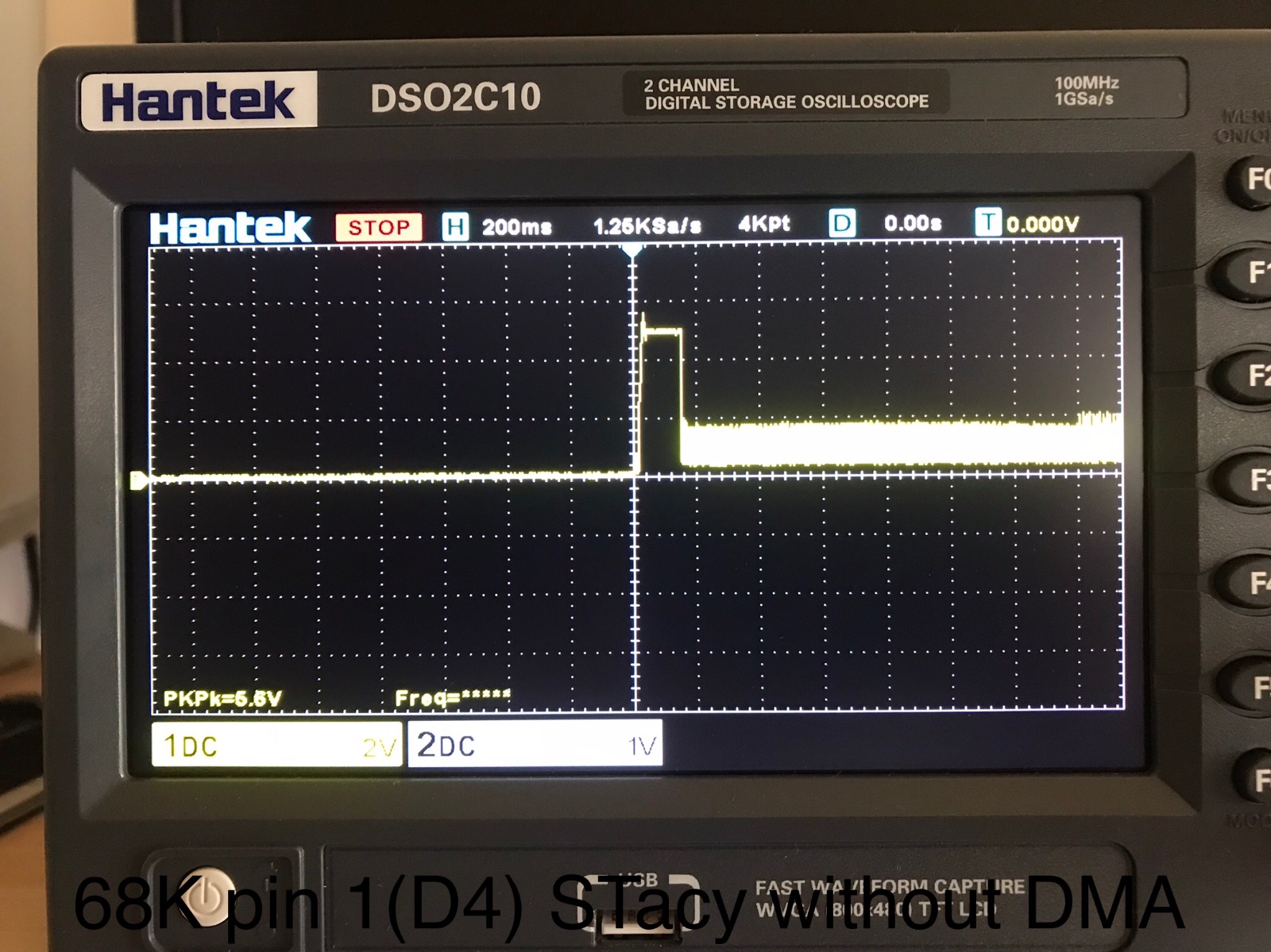
luckily the STacy has DMA (labeled CO25913-38 PH23-030, I write it to be sure it's really DMA but according to the diagram it should be U17), placed in a socket, so it was easy to remove it. I place the photos I took in the first moments after switching on, and there is actually some signal (especially in the addresses). IIRC I don't know what it is.

- E4323C0E-2529-44BA-AFB9-7E0DF22701EC.jpeg (534.79 KiB) Viewed 1655 times
- EBF7DD0B-81E6-4DA8-8377-38FD89FD356F.jpeg (537.12 KiB) Viewed 1655 times

- 87B01B85-8346-4696-A89C-4C280A9E2255.jpeg (550.2 KiB) Viewed 1655 times

- 518D4821-D4F8-421F-BBA0-C4499CEAF036.jpeg (535.37 KiB) Viewed 1655 times
Re: White screen with STacy
Posted: 14 Oct 2022 16:31
by Roberto
rubber_jonnie wrote: 14 Oct 2022 15:53
/HALT is an awkward one. It is bi-directional so can receive a /HALT signal from somewhere else, or the CPU can assert /HALT itself in certain scenarios.
…
all perfectly clear. I'm waiting for that guy to give me the CPU. I found it used, I hope it works, otherwise I'll get it here on exxos. come to think of it, that day I turned on the computer and heard "stack"; I had heard that noise coming from the power supply. but I saw that the power supply works ... but under the power supply there is the CPU ...