Page 1 of 5
Z80-MBC2
Posted: 07 Nov 2024 19:06
by rubber_jonnie
So I bought a Z80-MBC2, more info on it here:
Z80-MBC2
It was a cheap kit and I had a bit of birthday money left over so took the plunge. As kits go, it was a very quick build, probably about 1hr 30 minutes and results look good:
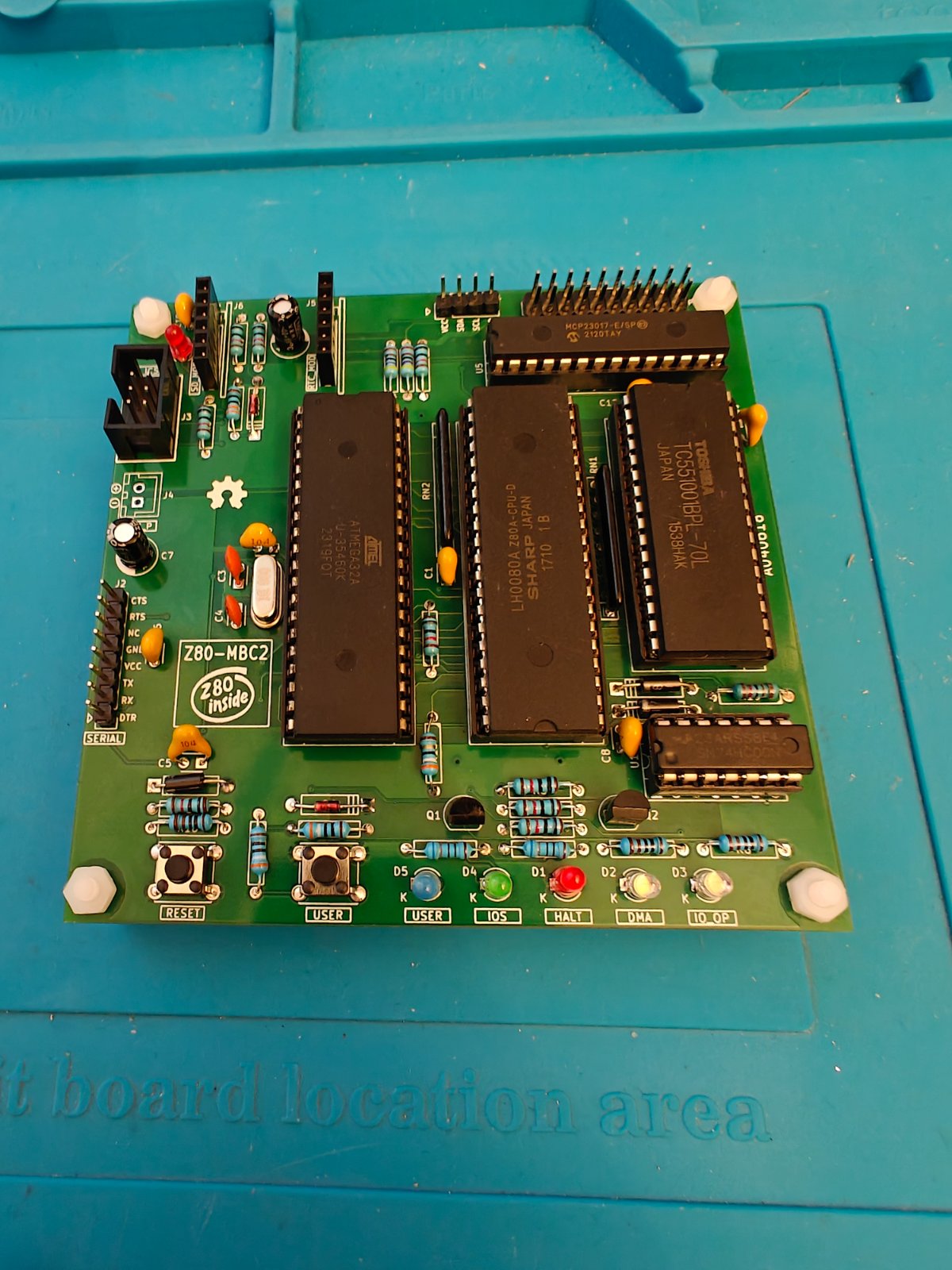
- IMG20241107184643.jpg (270.23 KiB) Viewed 731 times
I think the only annoyance was that the kit didn't come with a BoM so I just had to find one on the github page here:
Github for Z80-MBC2
Note that in true maker style, the BoM was created in open document format, and I had to open it in Libre Office, but since I already have that installed it wasn't too much trouble.
Next up I need to go and read the docs so I can get it hooked up as it requires a serial hookup and I need to figure out how it's powered.
Overall a fun little quick project, and yes, I know I said it was going at the back of the queue, but it was sat there, staring at me, all lonely...
Re: Z80-MBC2
Posted: 07 Nov 2024 20:44
by agranlund
Ah that's really cool! I like how it has a whole bunch of GPIO's too.
Re: Z80-MBC2
Posted: 07 Nov 2024 21:58
by rubber_jonnie
agranlund wrote: 07 Nov 2024 20:44
Ah that's really cool! I like how it has a whole bunch of GPIO's too.
Yeah, it's also got an RTC module and an SD card reader that plug into it too :) Tiny thing too.
Re: Z80-MBC2
Posted: 08 Nov 2024 11:33
by rubber_jonnie
OK, so progress!!!
I'm hooked up via USB serial which powers the board as well and after a small fight with baud rates (My terminal was set to 9600, the computer is 115200) it is now talking:
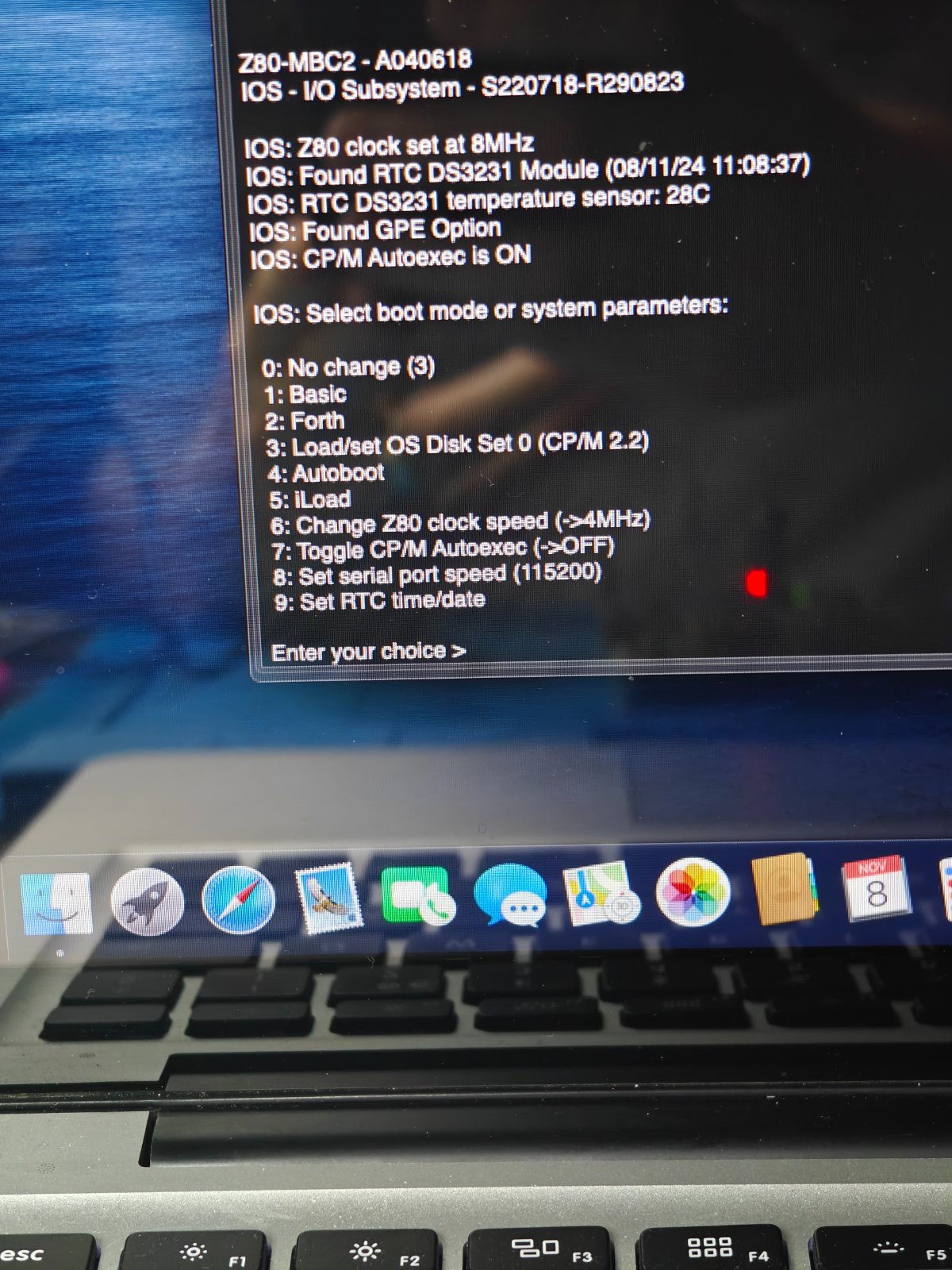
- IMG20241108110848.jpg (308.55 KiB) Viewed 673 times
And you can see the RTC and GPE options are detected. The Z80 runs at either 4Mhz or 8Mhz, but I am running into issues when trying to boot, namely whilst I've got it to boot into CP/M once, when the Z80 takes over, it freezes and the HALT LED illuminates.
Essentially the machine has an Atmega device that starts the boot process and hands off to the Z80 to boot the OS. It worked once, so wondering if a quick reflow of all the CPU socket pins might fix it.
So, I need to do some troubleshooting, hope the CPU isn't bad...
In the meantime I'll get digging for diagnostic help.
Re: Z80-MBC2
Posted: 08 Nov 2024 12:00
by stephen_usher
Definitely progress though.
Re: Z80-MBC2
Posted: 08 Nov 2024 12:59
by rubber_jonnie
stephen_usher wrote: 08 Nov 2024 12:00
Definitely progress though.
Well, I went looking for a Z80 CPU on eBay and it turns out I had ordered
exactly the same CPU a while ago, and it was sitting in my recently rebuilt Speccy!!!
I remove the CPUs and swapped them and the CPU from the MBC works flawlessly in the Spectrum and diags run just fine. That makes me wonder if there is an issue with the data on the included SD card, so I've downloaded the the ZIP and will try a different card to see if that makes any difference, and if not then I'll have to do a full review of the build, make sure I haven't missed anything or messed up.
I have at least now verified that the tiny jumpers underneath are for future efforts, so I can leave them alone.
Re: Z80-MBC2
Posted: 08 Nov 2024 13:25
by rubber_jonnie
No difference with a different SD card and fresh download...
Re: Z80-MBC2
Posted: 09 Nov 2024 13:33
by rubber_jonnie
OK, so chatting on the FB group and it seems that the CPU that came with the kit is the wrong one.
The one it came with is an LH0080A, which is an NMOS part and according to the datasheet only capable of 4 Mhz, but the build instructions state it must be a CMOS part, so a Z84C0008PEG if you want to run at 8Mhz.
So, I've ordered a Z84C0008PEG and we'll see if that works, but the supplied Sharp LH0080A doesn't, simple as that, though it works fine in my spare Spectrum, so at least it's not a dead IC.
How very annoying...
Re: Z80-MBC2
Posted: 09 Nov 2024 18:17
by agranlund
Annoying, and weird, that the kit shipped with the wrong cpu.
I have a soft spot for the Z80 and get really tempted in getting some kit like that myself (I absolutely don’t have enough time though)
Re: Z80-MBC2
Posted: 09 Nov 2024 18:29
by rubber_jonnie
agranlund wrote: 09 Nov 2024 18:17
Annoying, and weird, that the kit shipped with the wrong cpu.
I have a soft spot for the Z80 and get really tempted in getting some kit like that myself (I absolutely don’t have enough time though)
Yeah, very annoying about the CPU, but the seller states it was tested. I can't agree but I can't be bothered to argue the toss and it does mean I have a spare Z80 :)
You should get one, they are quite cheap :)
Tested kits are sold here:
Z80-MBC2