Page 94 of 298
Re: General Stuff(tm)
Posted: 31 Jan 2023 19:10
by stephen_usher
So, trying to find out why the MSDOS format command doesn't work... It hangs as soon as you confirm that it's OK to start writing to the "Winchester".
I thought that this was to d with the WD's format command but no, the program is issuing a restore command and then just sitting there. I've tried every possible valid value of the status register that get read after the command completes but it makes no difference. I've tried multiple interrupts and no go. I have absolutely no idea what the program is waiting for.
Re: General Stuff(tm)
Posted: 01 Feb 2023 12:48
by stephen_usher
Using another format program, "Field Formatter" I verified that the WD's format command works. However, it showed a "feature" in the "No OS FAT" library with regards to lseek and writing. A 20MB drive image started out as 20MB but somehow got emptied at some point. I'm wondering if this is to do with my code never closing the image file.
So, my thought is to close the file whenever the drive is idle, which I can determine by the system seeking the drive to the parking cylinder.
From what I can see this sort of seek is only ever used by the parking code so I can close the file safely. Not only this but all drive access commands have an implied seek at their start so I can open the image file only when this happens. I can store the "spin up" state in the image file structure.
Re: General Stuff(tm)
Posted: 01 Feb 2023 21:36
by stephen_usher
Code refactored and it works. Indeed, it's better now as you don't have to specify how many drives you have in config file, it works it out itself.
Now, any time the system sees a seek function call it closes the disk image file. Basically it's parking the drive as the Apricot is asking it to. So, most of the time no files are open on the microSD card, which is safer.
I tried formatting a 20MB disk image and this time it's not empty.
Now, I think I've hit a limit of the F1 BIOS in that it doesn't determine the drive size at power-on. After the drive format the drive shows up in the system as 20MB on the boot screen. The drive parameter block is cached in memory. Eveything works. I can format the drive as MSDOS and see 20MB of space. However, if I power down and power back up it only sees it as 10MB and everything breaks. This version of the BIOS isn't reading the drive parameter block from the beginning of the drive.
At some point I'll have to bring the F2 back from storage and test that as the machine has a later BIOS version (though an earlier build date).
For the time being I can live with two 10MB drives.
Re: General Stuff(tm)
Posted: 02 Feb 2023 09:46
by stephen_usher
So, the plan now:
- Test the card in the F2 and FP (portable) to see if there are compatibility issues.
- See if the F2 can determine the size of the drive at POST using the drive configuration data block in the first sector, unlike the F1.
- Try to piece together a complete, usable software library on a disk image using the fragmented sets of floppy images available.
Once I've done this I may see if the Centre for Computing History in Cambridge would like a card for their F1 on display as it was not turned on, probably because they didn't have anything for it to demonstrate.
Re: General Stuff(tm)
Posted: 02 Feb 2023 19:38
by stephen_usher
Bother! I'm suddenly getting file corruption, either reading or writing. :-/

- IMG_2913.jpeg (29.79 KiB) Viewed 1600 times
Why these specific locations and why a one bit error?!
Re: General Stuff(tm)
Posted: 02 Feb 2023 20:58
by stephen_usher
I can't see anywhere in the disk image where I have 0x0ffe followed by 0x1fff which suggests a read error somehow.
The filetest program is only failing on that particular disk image at the moment but I have seen other corruption that I can't explain. For instance, if I copy the GEM files onto the hard disk I always get menu corruption in the same way irrespective as to how full the filesystem is and whether it's a cleanly formatted filesystem or not. Maybe there's one bit errors somehow occurring when reading files over a certain size, or straddling 8K blocks? I've no idea.
I'll have to have a think about this one.
Re: General Stuff(tm)
Posted: 02 Feb 2023 21:46
by stephen_usher
Actually those addresses are word addresses, so they are on 8K boundaries, which is the same size as a track and the internal buffer...
Can someone do a sanity check of my buffer code please?
Code: Select all
#include <stdio.h>

unsigned char buffer[8192];

unsigned int bufpos = 0;

void buf_reset()
{
	bufpos = 0;
}

int buf_write_byte(unsigned char *byte)
{
	if (bufpos >= 8192)
	{
		return -1;
	}

	buffer[bufpos++] = *byte;
	return 0;
}

int buf_write_sector(unsigned char *sector)
{
	int endpos, cpycnt;
	int i;

	if (bufpos >= 8192)
		return -1;

	endpos = bufpos + 512;

	if (endpos >= 8192)
		cpycnt = 8191 - bufpos;
	else
		cpycnt = 512;

	for (i = 0; i < cpycnt; i++)
		buffer[i + bufpos] = sector[i];

	bufpos = bufpos + cpycnt;

	return cpycnt;
}

int buf_read_byte(unsigned char *byte)
{

#if APRIDEBUG > 3
	printf("buf_read_byte: returning %08b\n", *byte);
#endif
	if (bufpos >= 8192)
	{
		return -1;
	}
	*byte = buffer[bufpos++];

	return 0;
}

int buf_read_sector(unsigned char *sector)
{
	int endpos, cpycnt;
	int i;

	if (bufpos >= 8192)
		return -1;

	endpos = bufpos + 512;

	if (endpos >= 8192)
		cpycnt = 8191 - bufpos;
	else
		cpycnt = 512;

	for (i = 0; i < cpycnt; i++)
		sector[i] = buffer[i + bufpos];

	bufpos = bufpos + cpycnt;

	return cpycnt;
}
Re: General Stuff(tm)
Posted: 03 Feb 2023 21:30
by stephen_usher
Despite feeling rubbish because of a cold (Not C-19, tested twice.) did some debugging.
Added some debug statements and found that my end of buffer code in the sector read and write functions were missing out the last byte if it was at the end of the buffer.
In the above code, even though the buffer indeces go from 0-8191 the counter needs to be one more than this, so my test as to whether I'm over the end of the buffer was one off, so it reduced the size of the read/write copy by one.
This would only be triggered if large files were being read or written and if the latent value in the last byte of the buffer was harmless then no-one would see the corruption, unless it happened to be in a non-harmless place.
Now that's fixed I can successfully copy GEM onto the virtual drive and it runs properly rather than being increadibly buggy and crashing if you opened the Desk menu.

- IMG_2918.jpeg (262.53 KiB) Viewed 1549 times
Re: General Stuff(tm)
Posted: 03 Feb 2023 22:25
by stephen_usher
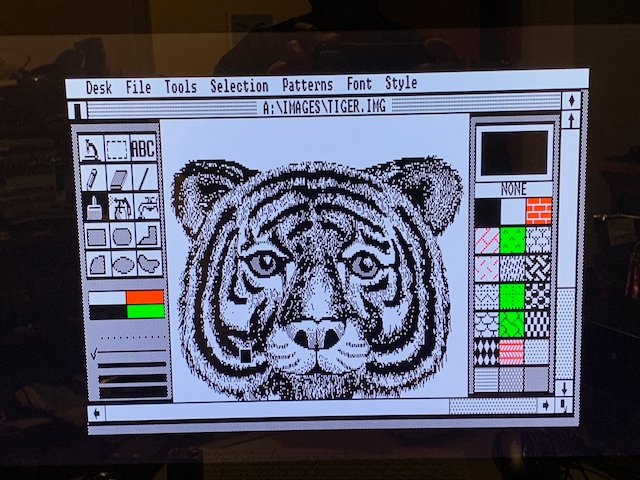
Of course it's traditional to load GEM Paint and TIGER.IMG
- IMG_2919.jpeg (95.79 KiB) Viewed 1540 times
Re: General Stuff(tm)
Posted: 04 Feb 2023 14:37
by stephen_usher
And so it begins... Lemsip no.2.
This weekend I was going build the third and final hard drive emulator board but I've come down with a cold. Probably the same one that my work colleague had earlier in the week. I'm felling pretty rough today so all development has had to stop.
Still, I have a fully working board now. Probably the first hard drive interface for the first generation Apricots in nearly 40 years.