Page 5 of 7
Re: Steve's DFB1 build
Posted: 20 Apr 2022 13:46
by Steve
I have 'dfb disable' jumpered and 'flash disable' jumpered. (I can't remember the exact terminology right now, not near it, but the two far right jumpers)
Will try again after work tonight. So you're saying to try enabling/disabling the booster & re-seating flash cart.
Re: Steve's DFB1 build
Posted: 20 Apr 2022 13:53
by Badwolf
Steve wrote: 20 Apr 2022 13:46
I have 'dfb disable' jumpered and 'flash disable' jumpered. (I can't remember the exact terminology right now, not near it, but the two far right jumpers)
Will try again after work tonight. So you're saying to try enabling/disabling the booster & re-seating flash cart.
I've known plenty of loose jumpers -- apply a bit of pressure to them when rebooting to make sure they're making good contact.
If they're both jumpered closed then what's happening is most likely a poor contact on the DFB1 to motherboard connectors or a on the diag cart to cart port connectors.
I presume the CPLD was successfully flashed?
A third option is a short on the CPLD pins -- all the address lines run into it.
BW
PS: easy enough to work along the data (30 pin connector) and address (50 pin connector) pins to check for shorts to adjacent lines with the board in situ. Only GND, VCC and the CPUBGI and CPUBGO lines should be direct shorts to each other.
PPS: reseat, reseat, reseat.Those connector pins are old and scabby!
Re: Steve's DFB1 build
Posted: 20 Apr 2022 17:51
by Steve
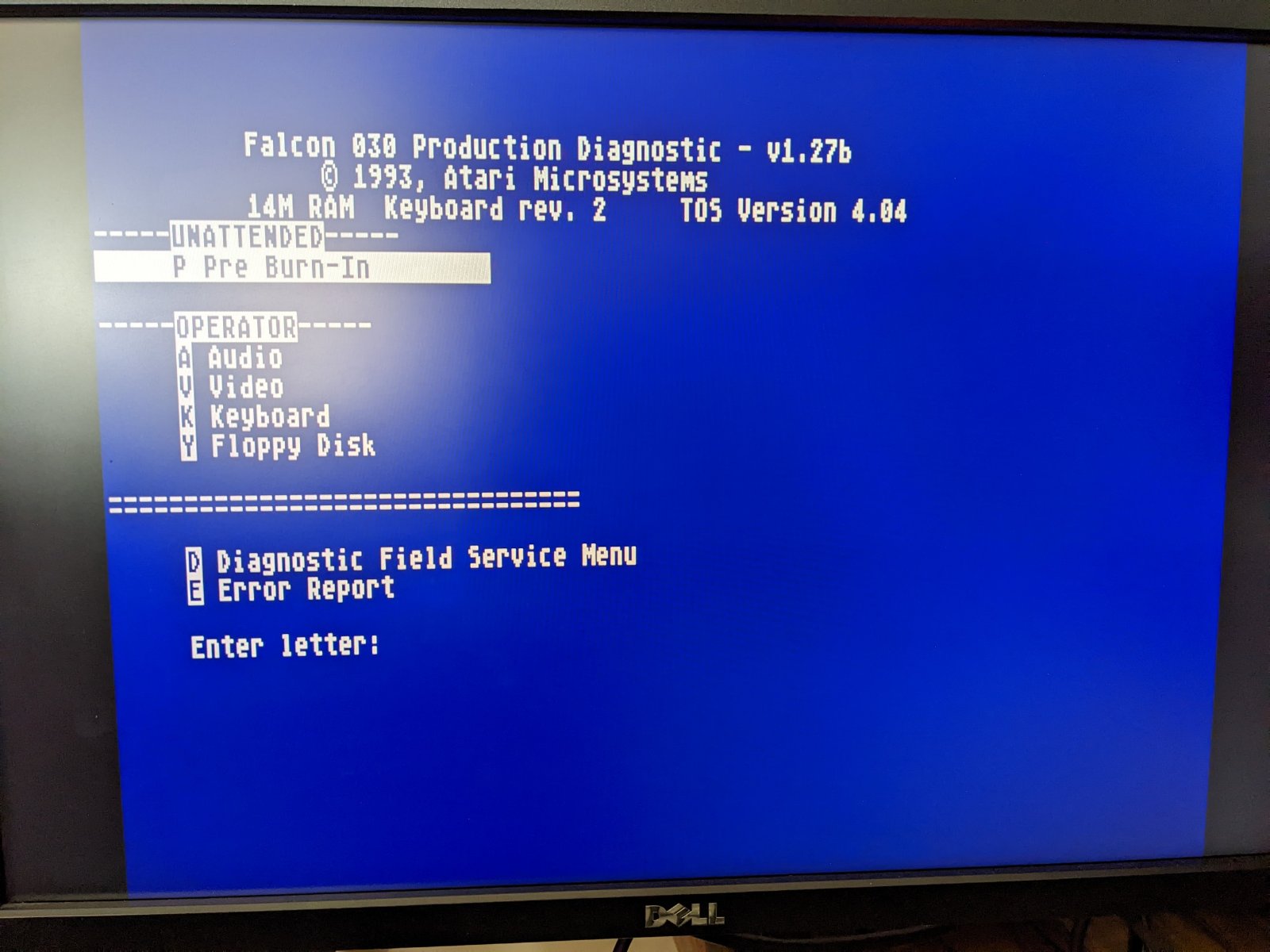
@Badwolf did what you said, twiddled the jumpers, cleaned the cartridge.
Oh yeah baby :) will do more testing later!
- PXL_20220420_165053988.jpg (174.78 KiB) Viewed 2725 times
Re: Steve's DFB1 build
Posted: 20 Apr 2022 18:56
by Badwolf
Steve wrote: 20 Apr 2022 17:51
@Badwolf did what you said, twiddled the jumpers, cleaned the cartridge.
OK, that's a good start, but with both jumpers in place, that should be stock (ie. running from the [buried!] on-board 030). Next step is to remove the master disable jumper and try again.
What you
should see is the cartridge show a red BUS ERROR screen, then go on to that blue menu.
If that all works, it's into TOS and gembench to measure integer performance & prove you're running on the external CPU. :thumbup:
BW
Re: Steve's DFB1 build
Posted: 20 Apr 2022 22:17
by Steve
@Badwolf
Here we are, CPU at 50mhz:

- PXL_20220420_211454751.jpg (421.7 KiB) Viewed 2684 times
All working great, next time for TT ram :)
Re: Steve's DFB1 build
Posted: 20 Apr 2022 22:29
by Badwolf
Steve wrote: 20 Apr 2022 22:17
@Badwolf
Here we are, CPU at 50mhz:
PXL_20220420_211454751.jpg
All working great, next time for TT ram :)
Woooohooo!
First board that's confirmed working outside my own Falcon.
Well done Steve! :girldance: :girldance: :cheers: :cheer: :cheer:
BW
Re: Steve's DFB1 build
Posted: 20 Apr 2022 22:32
by mrbombermillzy
Nice work @Steve :D
Re: Steve's DFB1 build
Posted: 20 Apr 2022 22:32
by Steve
@Badwolf Another good thing to take into account from this test is that my Falcon and yours are slightly different, in that mine has a different clock patch (my own one based on the Phantom design) I have also tested the bus speeder and it seems to work fine still. So that's pretty decent compatibility so far.
Re: Steve's DFB1 build
Posted: 21 Apr 2022 01:04
by agranlund
Awesome! :dualthumbup:
Re: Steve's DFB1 build
Posted: 21 Apr 2022 08:58
by HigashiJun
Well done, Steve !
:cheers: