sporniket wrote: 19 Jan 2025 20:55
So today I removed the socket. Next time I will put a new one, and see how it goes
So today I put a new socket in place.

- 2025-01-26--01-new-plcc-socket.jpg (78.97 KiB) Viewed 334 times
The previous owner did desolder the RAM chips to install socket. On inspecting them again, I became suspicious of one place. Among the places with damaged pads, I felt that there was potential for trouble there :

- 2025-01-26--02-suspicious.jpg (115.2 KiB) Viewed 334 times

- 2025-01-26--03-suspicious-closeup.jpg (56.52 KiB) Viewed 334 times
I removed solder, and saw that a trace could not make it to the damaged pad (I may have worsened it, honestly, but I could not see clearly which traces went where before doing that).

- 2025-01-26--04-no-continuity.jpg (41.2 KiB) Viewed 334 times
I put a bodge wire and checked for shorts and continuity around my work
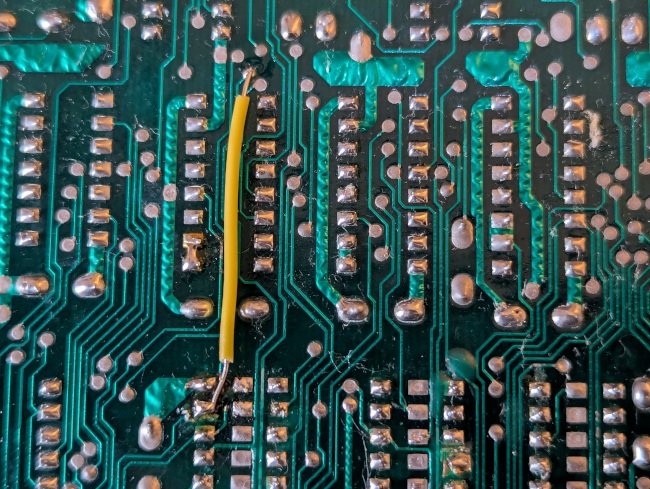
- 2025-01-26--05-fix.jpg (110.36 KiB) Viewed 334 times
Testing the computer, I feel it is better, as the border consistently has the right color now, instead of a dubious color or black. Like last time, some spots (groups of 8 pixels) of the screen flickers, showing that the CPU write in the color memory.

- 2025-01-26--06-encouraging-result.jpg (118.21 KiB) Viewed 334 times
Progress, but it's not done yet. Next time I will check all the traces about the RAM chips.