Page 13 of 21
Re: derkom's attempt
Posted: 03 Dec 2019 20:51
by exxos
Check you have 32Mhz as per my previous post..
Also check the BLANKing pin...
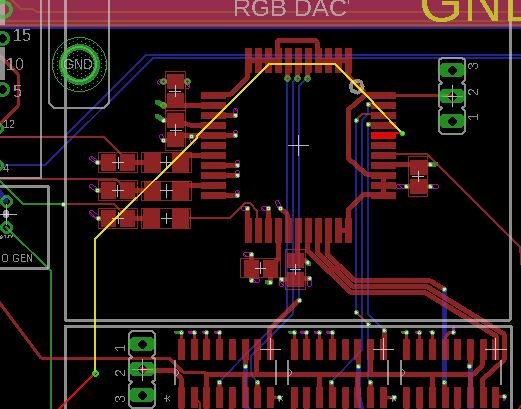
- 4.JPG (47.58 KiB) Viewed 3554 times
Re: derkom's attempt
Posted: 03 Dec 2019 21:37
by derkom
32 MHz...

- 32.png (28.34 KiB) Viewed 3545 times
BLANK...

- blank.png (26.09 KiB) Viewed 3545 times
Bear in mind that all four of the chips involved here are ones that I got uncomfortably hot during installation, so something being dead in there is sadly an option.
Re: derkom's attempt
Posted: 03 Dec 2019 21:44
by exxos
derkom wrote: 03 Dec 2019 21:37
Bear in mind that all four of the chips involved here are ones that I got uncomfortably hot during installation, so something being dead in there is sadly an option.
You must be getting a stable frame as the monitor wouldn't sync.. you got RGB output.. so you should be getting video...
Random thing to try... lift a 75R resistor out, and hook in series with it something like 1uF ceramic cap (or higher value) see if anything changes. You could probably use a electrolytic like 100uF mark (you may need to try both)
Re: derkom's attempt
Posted: 03 Dec 2019 21:47
by derkom
exxos wrote: 03 Dec 2019 21:44
You must be getting a stable frame as the monitor wouldn't sync.. you got RGB output.. so you should be getting video...
Random thing to try... lift a 75R resistor out, and hook in series with it something like 1uF ceramic cap (or higher value) see if anything changes. You could probably use a electrolytic like 100uF mark (you may need to try both)
Well I
am getting video. I'm getting a white screen in a black border, which my Dell monitor says is "NTSC@60" and won't centre properly until I adjust things. In other words, exactly how a regular ST shows on it. The only problem here is there's nothing but white.
On my SC1435 it just displays white everywhere.
Knowing these things, do you still want me to pull up a R75, or does this change your thinking?
Re: derkom's attempt
Posted: 03 Dec 2019 21:51
by exxos
derkom wrote: 03 Dec 2019 21:47
Knowing these things, do you still want me to pull up a R75, or does this change your thinking?
Still try it, I have no other suggestions for this problem anyway :)
Re: derkom's attempt
Posted: 03 Dec 2019 23:22
by derkom
I decided to ignore your advice :o and instead I used the microscope and reflowed every connection on the SMT chips. And lookie here (but don't get too excited yet) ...

- IMG_20191204_011428.jpg (52.59 KiB) Viewed 3518 times

- IMG_20191204_011144.jpg (42.24 KiB) Viewed 3518 times

- IMG_20191204_011327.jpg (46.83 KiB) Viewed 3518 times
We have video! Sort of. It's very in and out and quite flickery, and the DAC is getting pretty hot. It's not necessarily
too hot, since I don't know what's expected, but it's hot enough that I wouldn't leave my finger there for long, but wouldn't be injured if I did, just annoyed.
Got any other thoughts at this point? I can still stick the cap in there if you like, or I can try something else. No matter what it is, though, it'll probably happen tomorrow.
Still, I think this gets a :cheer: from me! :D
Re: derkom's attempt
Posted: 03 Dec 2019 23:37
by PhilC
Well done, that's a pretty positive step in my opinion.
Re: derkom's attempt
Posted: 03 Dec 2019 23:37
by derkom
Another picture, whose artifacts may prove instructive:

- about.jpeg (63.33 KiB) Viewed 3516 times
It's a bit confusing to me, though, because a lot of the flickering and fading looks very analog, but the letter repetition here does not.
Re: derkom's attempt
Posted: 04 Dec 2019 00:00
by exxos
I would do the ram & rom test and others in the cart first.
Re: derkom's attempt
Posted: 04 Dec 2019 00:11
by derkom
exxos wrote: 04 Dec 2019 00:00
I would do the ram & rom test and others in the cart first.
If I can get the picture to stay stable enough to do that. My still shots don't do its instability any justice. There's a lot more not picture than there is picture. :)
Oh, I also noticed the shifter is getting rather warm.
And I can confirm that with the newest bodge, a 16 MB SIMM detects as 4 MB.